Command line & desktop shortcuts
One command per scene. From anywhere.
DeskScene registers the command deskscene. Load a scene from a script, the Task Scheduler or a Stream Deck button, or create a desktop shortcut with one click and pin it to the taskbar.
How it works
- 1
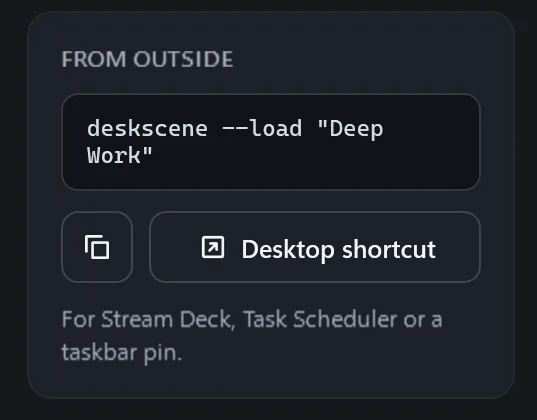
Open a scene in the editor. The card “From outside” shows its command, for example
deskscene --load "Deep Work". - 2
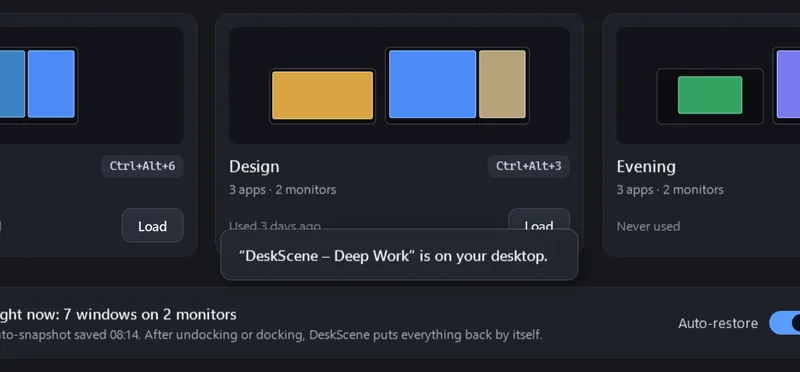
Copy the command, or click “Desktop shortcut”: DeskScene puts “DeskScene – Deep Work” on your desktop, with the app icon.
- 3
Pin the shortcut to the taskbar, assign it to a Stream Deck button, or call the command from a script or a scheduled task.
- 4
If DeskScene is running, the command is handed to it; if not, DeskScene starts in the tray first. Either way the caller gets an exit code.
Commands
deskscene --load "<scene>"- Load a scene (names are not case-sensitive)
deskscene --restore-last- Restore the last auto-snapshot of the current monitor setup
deskscene --snapshot- Save an auto-snapshot right now
deskscene --list- Print the scene names, one per line
deskscene --help- Show the help
--focus / --no-focus- Minimize all other windows after loading (or don’t), for this call only
--background- Start in the tray without opening the window
Exit codes
0- OK
1- Partly done (not every window could be placed, or nothing to restore)
2- Scene not found
3- Not licensed (trial ended)
4- Invalid arguments
Example: PowerShell
$code = (Start-Process deskscene -ArgumentList '--load "Deep Work"' -Wait -PassThru).ExitCode
if ($code -eq 2) { Write-Warning "Scene not found" }
Good to know
Stream Deck
Use the “Open” action of the Stream Deck software and choose the desktop shortcut DeskScene created – or the alias
%LOCALAPPDATA%\Microsoft\WindowsApps\deskscene.exewith the arguments--load "Deep Work".Task Scheduler
Action “Start a program”: program
%LOCALAPPDATA%\Microsoft\WindowsApps\deskscene.exe, arguments--load "Deep Work". Good for a layout at sign-in or a fixed time of day.Renaming a scene
Scripts and shortcuts use the name. When you rename a scene, DeskScene reminds you and offers to update the desktop shortcut it created.
Safe by design
The command is handed over a named pipe that only your own user account can open, and it only knows these commands.
FAQ
Questions
Where is deskscene.exe?
The Store version registers the app execution alias deskscene.exe in %LOCALAPPDATA%\Microsoft\WindowsApps, which is on the PATH. Typing deskscene in any terminal works.
Why does the output come in English?
So that scripts get stable texts, whatever language the app uses.
Does it work while DeskScene is closed?
Yes. The command starts DeskScene in the tray, then loads the scene and returns the exit code.