Launch arguments & admin start
Opens what is missing. Exactly how you need it.
A scene can start the apps that are not running yet, then place their windows. Each app gets its own launch arguments – a folder, a file, a URL – and can run as administrator.
How it works
- 1
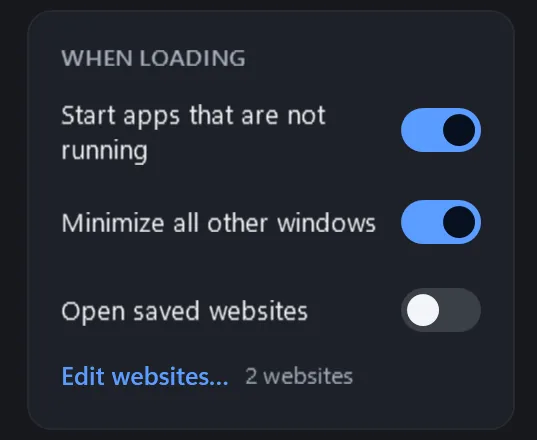
In the editor, turn on “Start apps that are not running” for the scene.
- 2
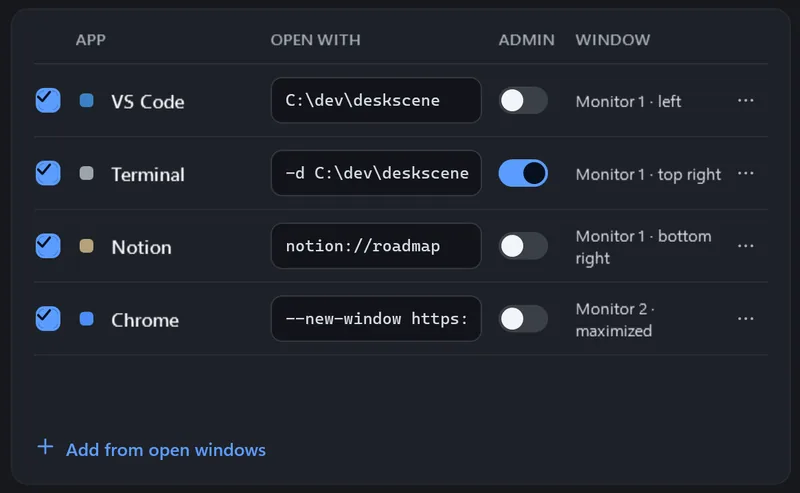
Type what each app should open in the column “Open with”:
C:\dev\deskscenefor VS Code,-d C:\dev\deskscenefor Windows Terminal, a URL for a browser. - 3
Switch on “Admin” for an app that has to run as administrator. Windows asks for confirmation every time it starts.
- 4
Load the scene: apps that are open are moved, missing ones are started in parallel, and DeskScene waits up to 20 seconds for their windows.
Good to know
Never twice
An app is only started when no matching window is open. Arguments are passed to the app unchanged – DeskScene never runs them through a shell.
Store apps too
Packaged apps are started through Windows with their app id, with arguments. Running them as administrator is not possible; the switch is greyed out.
More per app
“…” → “More…”: working directory (default: the app’s folder) and how long to wait for a slow app.
Windows of administrator apps
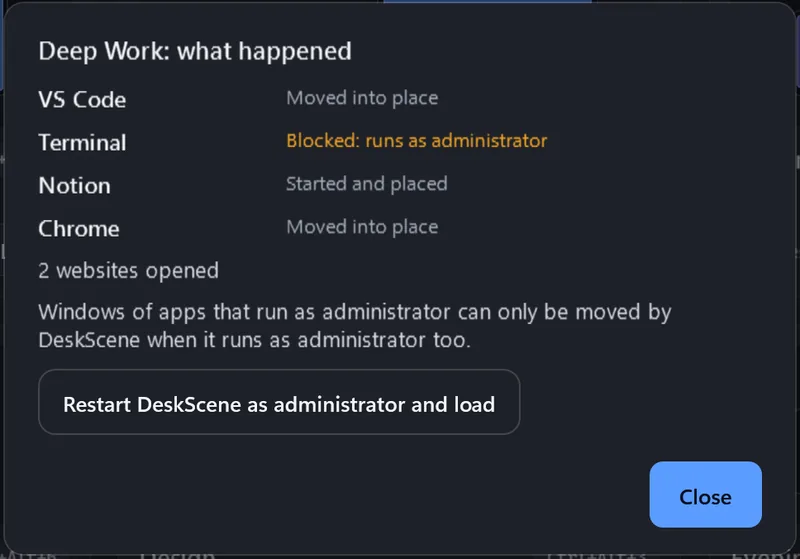
DeskScene runs without administrator rights, and Windows does not let it move windows of elevated apps. It reports them as “Blocked: runs as administrator” and offers to restart itself as administrator and load the scene.
Websites
Save a list of URLs with a scene; “Open saved websites” opens them as tabs in a new window of your default browser. Only http and https addresses are opened.
FAQ
Questions
What happens if I cancel the UAC prompt?
The app is reported as “Cancelled”, everything else in the scene loads normally.
How long does DeskScene wait for an app?
Up to 20 seconds by default, per app adjustable in “More…”. Apps are started in parallel, not one after another.
Can DeskScene stay elevated all the time?
Not in 2.0. “Restart as administrator and load” lasts until DeskScene is closed or Windows restarts.